Your private photos, locked behind a pattern only you know.
VaultBe encrypts photos, videos, documents and notes on your iPhone the moment you add them. No account, no email, no password. Draw your pattern and the vault opens.
- Free to start
- No account
- No analytics or ads
- AES-256-GCMEvery file, thumbnail and name
- Argon2idYour pattern becomes the key
- Zero accountsNothing to sign up for
- Zero knowledgeWe cannot open your vault
Everything a vault should do. Nothing it shouldn't.
Real encryption first. Then the tools that keep a vault from being noticed, forced open or lost.
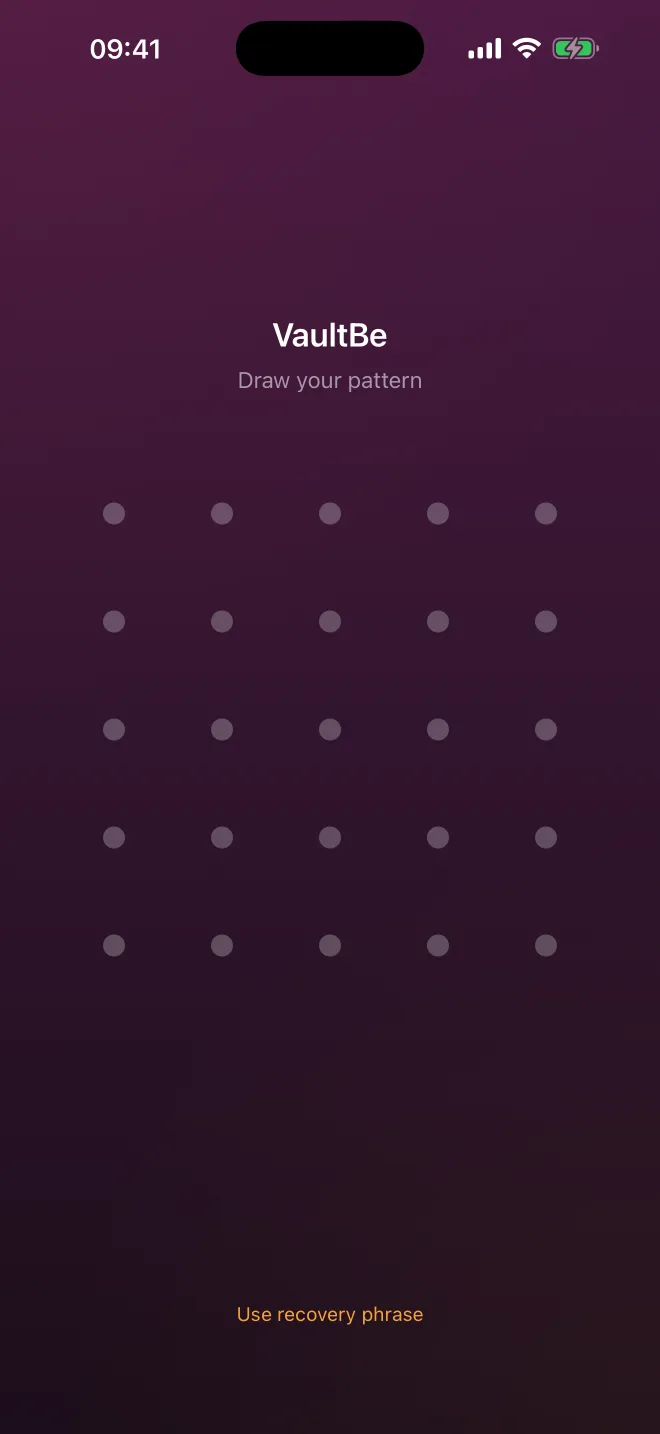
Pattern Lock
Draw a shape on a 5×5 grid. The pattern itself becomes the key that decrypts your vault.
Learn moreHidden Vaults Pro
Unlimited vaults, each behind its own pattern. No list, no picker, no hint that others exist.
Learn moreDuress Mode Pro
A second pattern opens a harmless vault and permanently destroys every other one.
Learn moreDisguise Mode Pro
VaultBe opens as a working calculator, converter or notes app until you enter your secret code.
Learn moreAlternate App Icons Pro
Swap the Home Screen icon for a Clipboard, a Converter or a light variant.
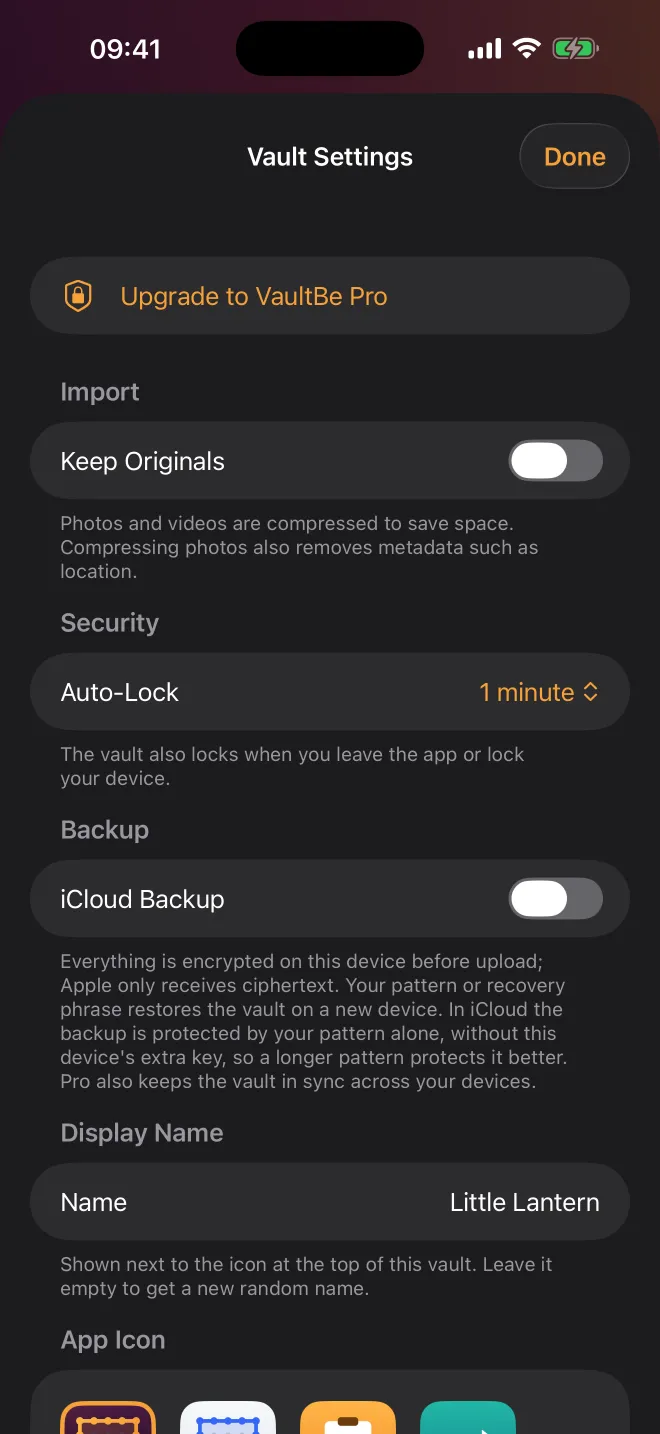
Learn moreEncrypted iCloud Backup
Back up to your own iCloud. Everything is encrypted on your iPhone first; Apple stores only ciphertext.
Learn moreDevice Sync Pro
Open the same vault on your iPhone and iPad. Every change is encrypted before it syncs.
Learn moreSecure Sharing Pro
Share a folder with a ten-word phrase. Set an expiry and an open limit, revoke any time.
Learn morePrivate Camera
Shoot photos and video straight into the vault. Nothing ever lands in your camera roll.
Learn moreEncrypted Notes & Files
Rich-text notes, PDFs and documents, organised in folders and encrypted like your photos.
Learn moreRecovery Phrase
Nine words that open your vault if you forget the pattern. The only way back in.
Learn moreScreen Protection
Auto-lock, a covered app switcher, screen-recording shield and screenshot alerts.
Learn moreNo password. Just your pattern.
A 5×5 grid gives you far more room than a phone's 3×3 lock. Your pattern is never stored. It is stretched into a 256-bit key each time you draw it, and without it there is nothing readable on the device.
- At least six dots and one change of direction
- Wrong guesses are slowed down, up to an hour apart
- A nine-word recovery phrase gets you back in
Try it: draw a pattern
Draw across the dots to try it.
Private in three steps
Draw your pattern
Connect the dots your way. VaultBe turns the pattern into an encryption key on your device and gives you a recovery phrase to write down.
Add what matters
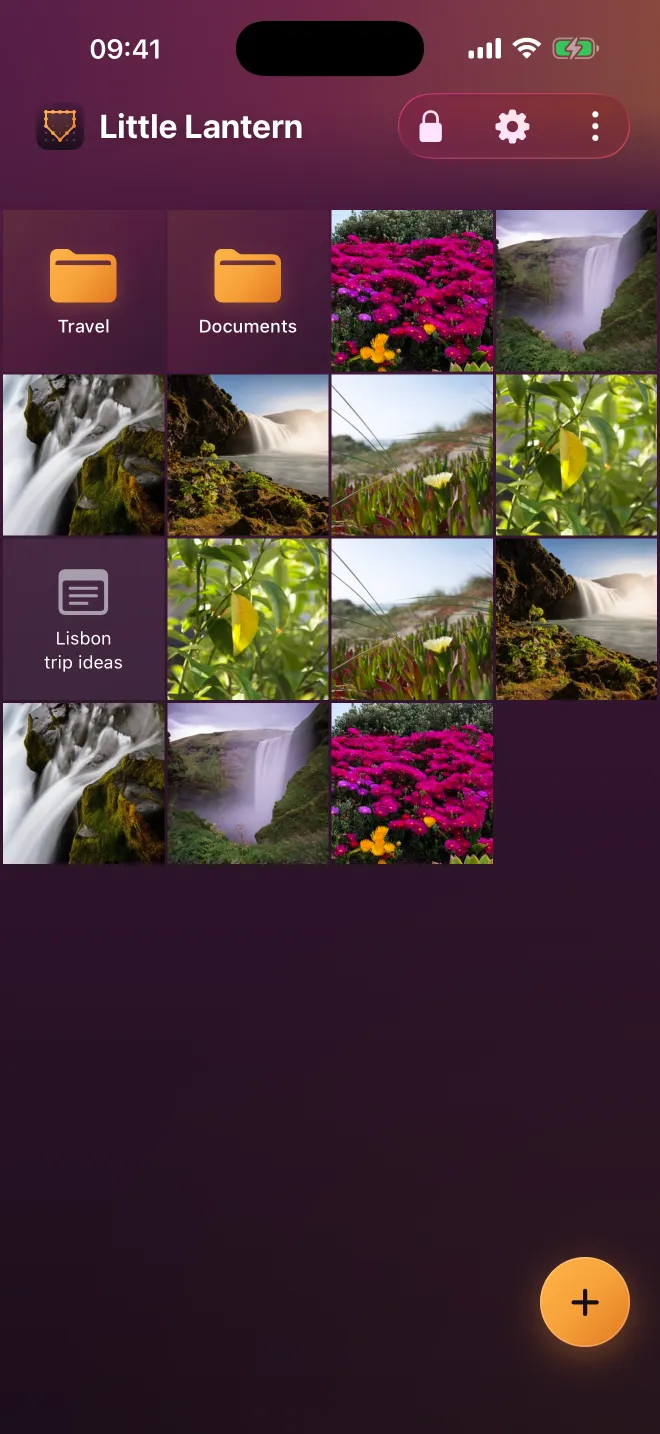
Import from Photos or Files, shoot with the private camera, or write a note. Each item is encrypted as it goes in.
Lock and forget
Leave the app and the keys are wiped from memory. What stays on disk is unreadable without your pattern.
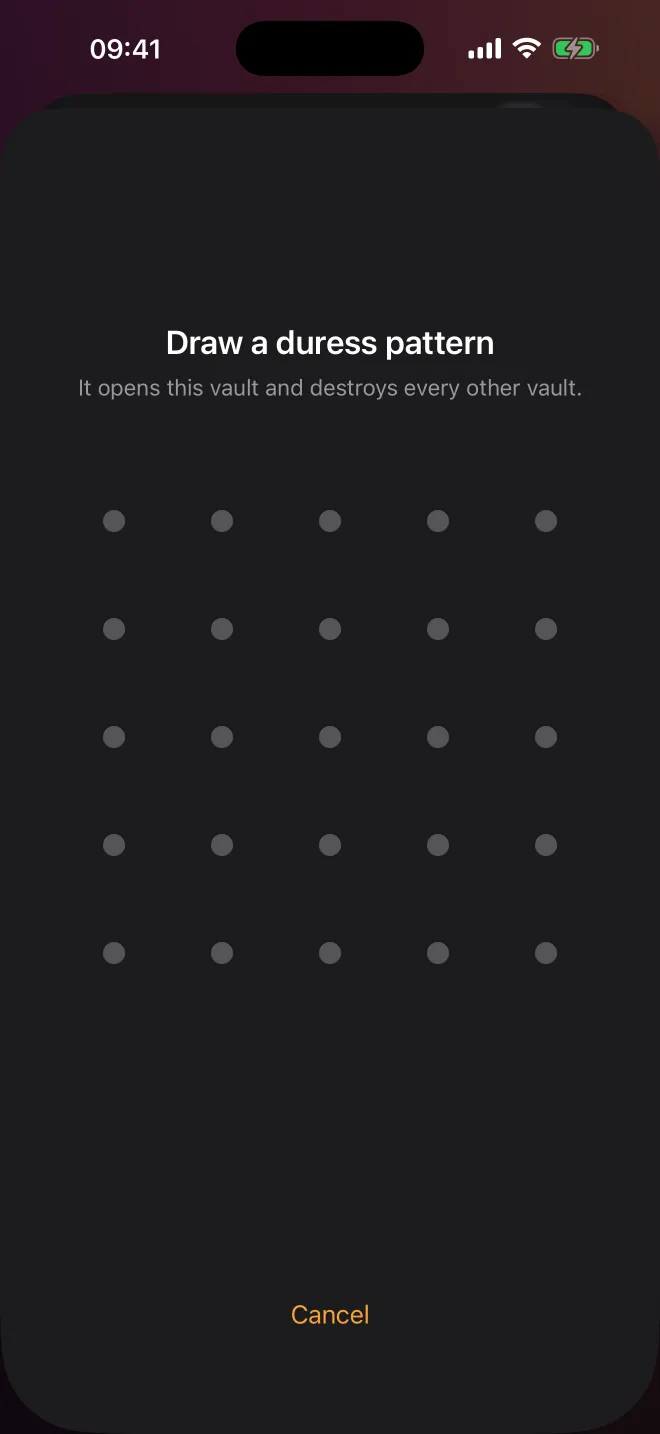
Forced to unlock? Show a decoy.
Set a second pattern for the moment you hope never comes. It opens a harmless vault, and permanently destroys the keys to every other one, on your device and in iCloud.
- Looks exactly like a normal unlock
- Crypto-shredding, not just hiding
- Nothing left to be made to restore
Hide it in plain sight.
VaultBe can open as a working calculator, unit converter or notes app, with a Home Screen icon to match. Your secret code brings up the real lock screen, and the encryption is still there behind it.
 VaultBe
 Light
 Clipboard
 Converter
Only you hold the key.
We designed VaultBe so that there is nothing useful to hand over. No account database, no server that sees your files, no key we could be asked for.
- Files, names and thumbnails are all encrypted
- Local key is bound to your iPhone's Keychain
- iCloud receives padded ciphertext only
- No analytics, ads or tracking SDKs
Free to protect. Pro to disappear.
The encryption is the same on both plans. Pro adds more room and the features for higher-risk situations.
Free
$0
No account, no time limit
- One encrypted vault
- 100 photos and 10 videos
- Notes, documents and folders
- Private camera
- Encrypted iCloud Backup
VaultBe Pro
$24.99 / year
or $2.99 billed monthly
- Unlimited hidden vaults
- Unlimited photos and videos
- Duress Mode and Disguise Mode
- Sync across iPhone and iPad
- Encrypted sharing and alternate icons
Guides and reading
Getting started with VaultBe
Set up VaultBe in a few minutes: draw your pattern, save your recovery phrase, add your first photos and switch on encrypted iCloud Backup.
How to choose a strong unlock pattern
Practical rules for a VaultBe pattern that is hard to guess and easy to remember: use more dots, avoid letters and corners, and cross your own path.
How to store your recovery phrase safely
Your nine-word recovery phrase is the only way back into a VaultBe vault if you forget the pattern. Here is how to keep it safe, offline and findable.
The iPhone Hidden album is not a vault
Face ID on the Hidden album stops a casual swipe. It does not stop anyone who knows your passcode, and it is not separately encrypted.
Calculator vault apps: disguise is not encryption
A calculator icon fools a glance. What matters is what happens to your files behind it.
What "zero-knowledge" means for a photo vault
If a company can reset your password and give your photos back, it can read them. Zero-knowledge removes that ability, on purpose.
Questions, answered straight
What is VaultBe?
VaultBe is an encrypted vault app for iPhone and iPad. It protects photos, videos, documents and notes with AES-256 encryption, and it opens with a pattern you draw instead of a password. There is no account and no sign-up.
Do I need an account?
No. There is no sign-up, no email and no password. Your pattern is the only thing that identifies and opens a vault.
Is VaultBe free?
Yes. The free version includes one vault with up to 100 photos and 10 videos, the private camera, notes, documents and encrypted iCloud Backup. VaultBe Pro adds unlimited vaults and storage, Duress Mode, Disguise Mode, device sync, sharing and alternate icons.
What happens if I forget my pattern?
Use your nine-word recovery phrase to open the vault and set a new pattern. If you have lost both the pattern and the phrase, the vault cannot be opened by anyone, including us.
Can you or Apple see my files?
No. Files are encrypted on your device with a key derived from your pattern. We never receive your files, your pattern or your keys. iCloud backups are uploaded as ciphertext that Apple cannot read.
Does VaultBe collect analytics?
No. The app contains no analytics, advertising or tracking SDKs.

Keep it private. Keep it yours.
Draw a pattern and your first vault is ready in under a minute. No account, no email, nothing to sign up for.